
FutureBook V3: The Next Generation of the Most Advanced Digital Book Editor
FutureBooks is entering its third generation. We rebuilt V3 from the ground up and created an editor that we believe has no competition on the market today. Without any programming knowledge, authors create digital books and interactive educational media (IVM) directly in the final view, assemble them from hundreds of ready-made components, and can collaborate on a single title in real time with other authors, editors and even artificial intelligence. Along the way, they have access to change history, custom visual styles, advanced typography and tools that until recently were the domain of developers.
But the strength of FutureBooks V3 lies not only in the editor itself. It brings the entire life cycle of a digital book together in one place: its creation, management, versioning, publishing, sales and licensing, all the way to the reader app that a student or any other reader receives. Content automatically adapts to computers, tablets and phones, books work offline, and once published, a book can still be edited, corrected and expanded without the need for a new edition or sending out new files.
FutureBooks is also built in a modular way. The technologies behind V3 are not limited to books and IVM: the same principles and components can be used to build content websites or specialised web applications. In this article, however, we focus on their use in digital publishing.
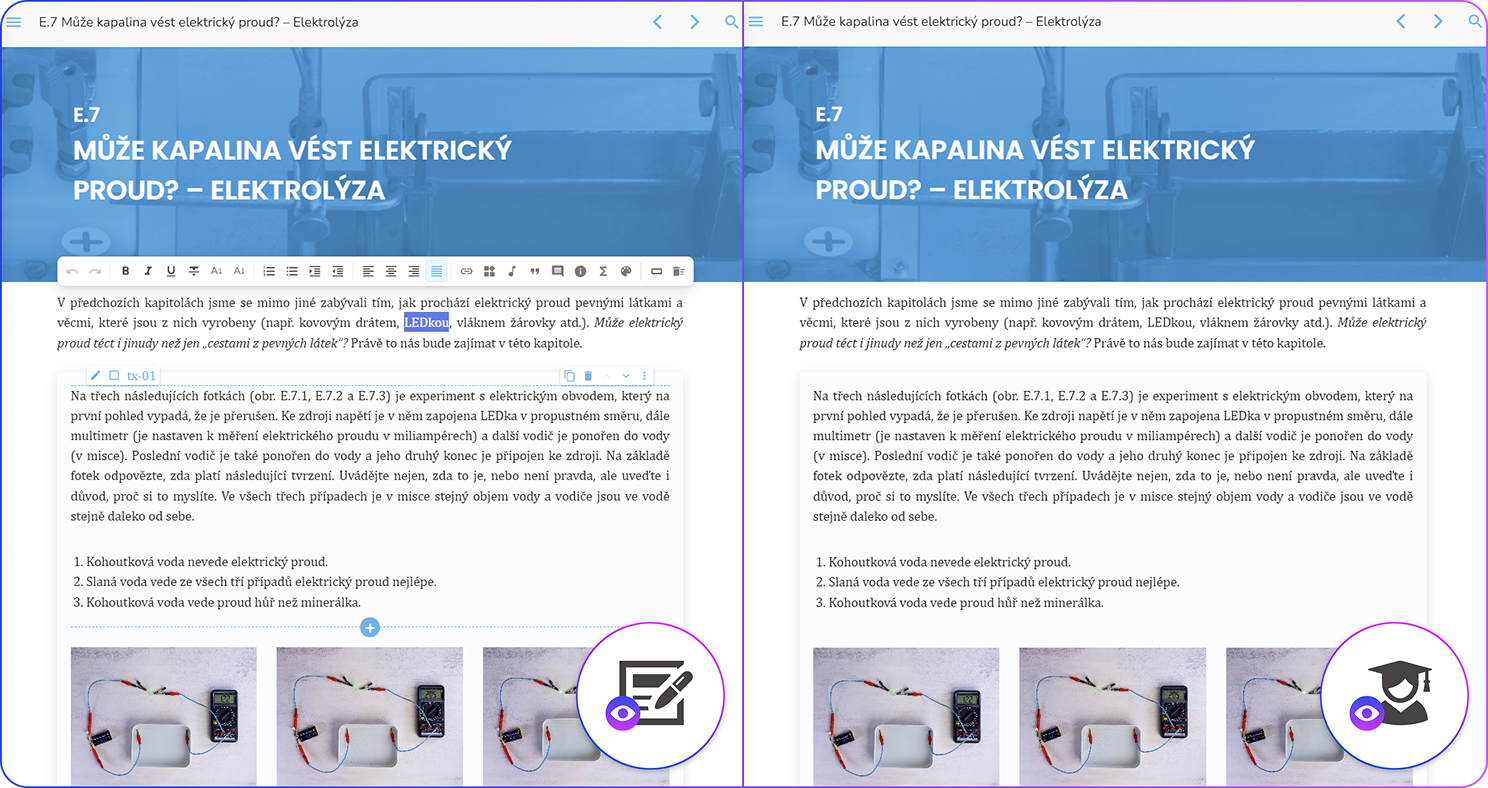
This is not a new product replacing the existing FutureBooks. It is its new technological generation, on which we will build all further development. FutureBooks V2 will continue to work and existing books will remain available to readers, but new features will be added to V3 only. You can look forward to new fonts, icons, components and many other features for authors, publishers, schools and readers.
Authors work together directly in the book
Several authors and editors can edit the same chapter at the same time. They can see who is writing and where, and they change the text directly on the book page. The book's own styles are applied as you write, so the author always sees what the final result will look like.
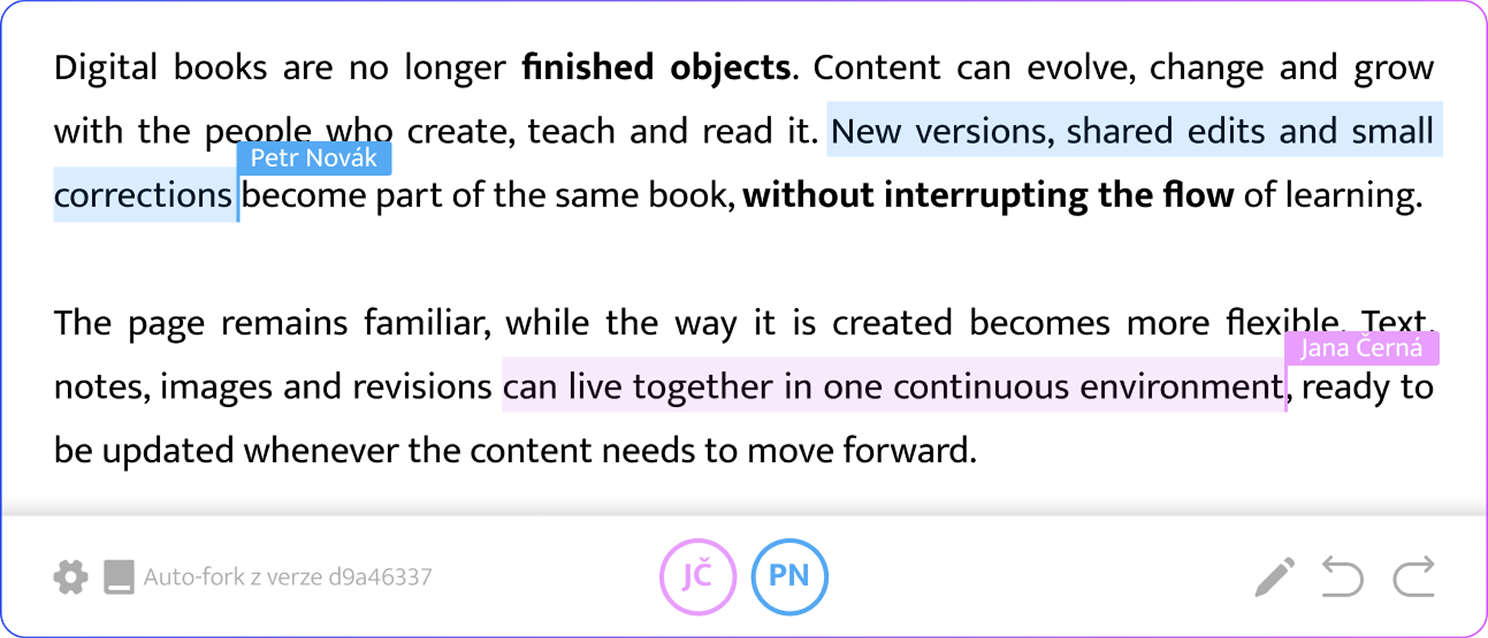
Text, individual publication elements and settings share a common change history with clear descriptions in English. In addition to the usual undo, you can revert one specific earlier edit while keeping all later changes. If the connection drops, the editor marks unsaved work and keeps it until saving is confirmed.
Authors build their books from several hundred available components, ranging from tables and galleries to auto-graded tests and mind maps. A live component preview helps with the choice, and related elements can be converted into one another, for example turning a matching exercise into pair cards. No programming is required.
The editor also helps with typography. It automatically makes sure that single-letter prepositions are not left at the end of a line and that brackets are not separated from formulas. Long formulas do not wrap on mobile devices; instead, horizontal scrolling keeps them easy to read.
And you don't have to make the book yourself. We can also prepare it for you from the materials you provide. We will put together the text, images, exercises and formulas. You then review the proofs in the editor and adjust details right where they belong.
Exercises that help students move forward
FutureBooks supports scored tests, fill-in-the-blank sentences, drag-and-drop terms, memory games, crosswords, interactive mathematics and more. In V3, feedback can be displayed for all 35 question types. In the previous version, this option was available for only five types of exercises.
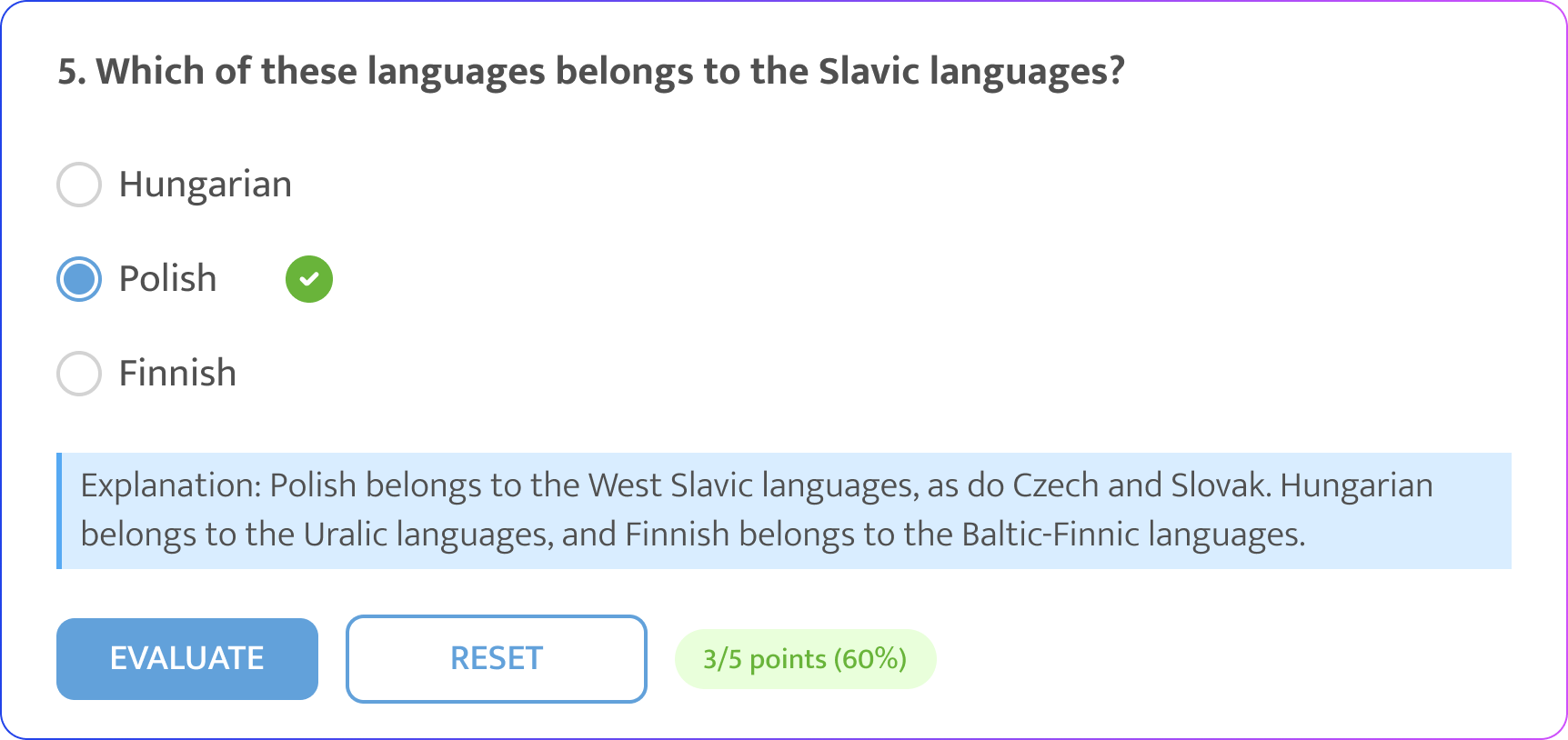
After submitting an answer, a student can receive a specific recommendation, for example on where to fill in the missing knowledge needed to answer the question correctly. The order of answers can be shuffled automatically, so students sitting next to each other don't see them in the same order. Answers are saved even offline, so users can return to an unfinished quiz at any time.
Reading on mobile, without a data connection and with your own notes
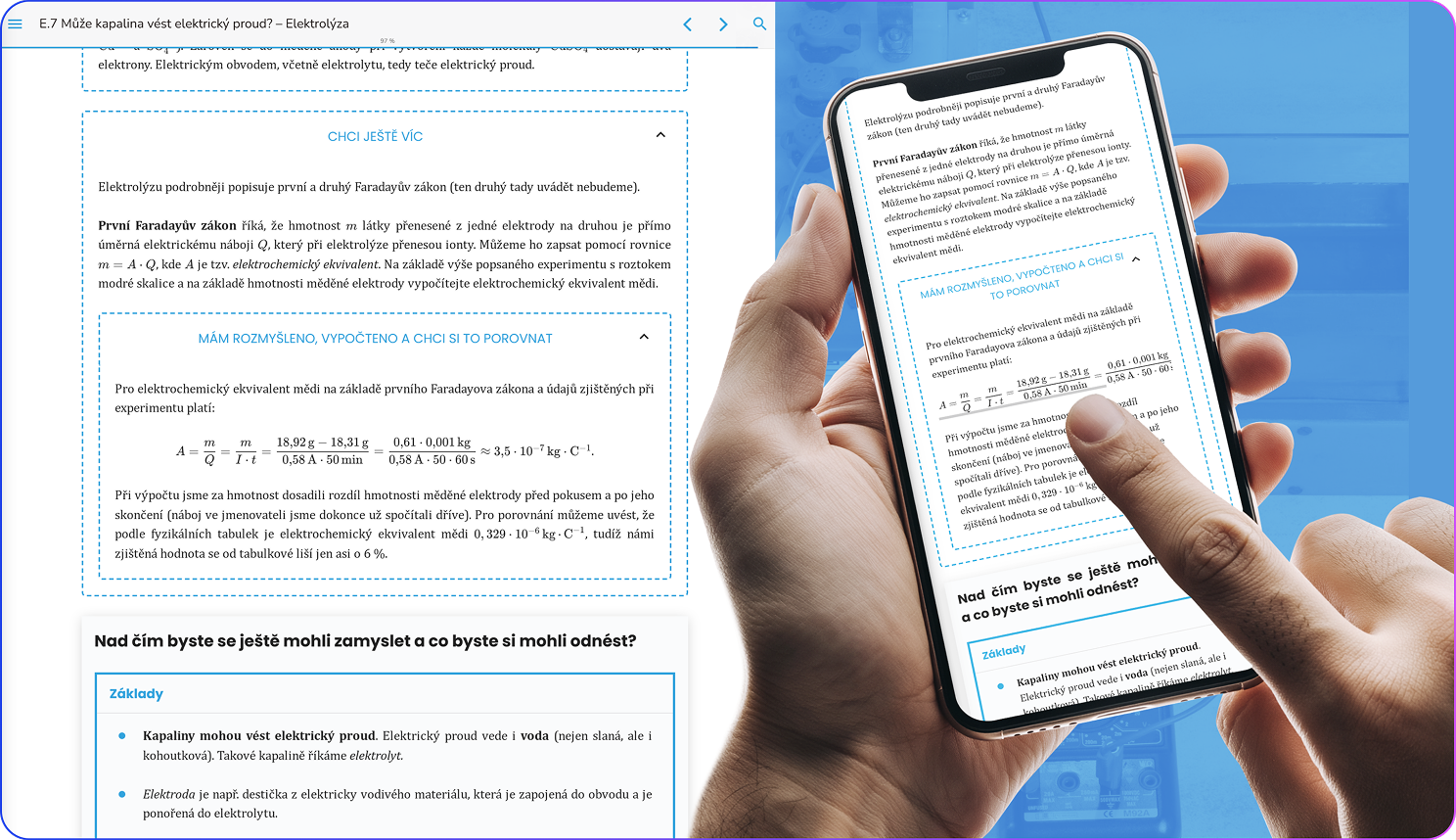
Students can save a book to their browser in advance and read it, for example, on a train with no signal. Media and attachments included in the book remain available as well: images, videos, PDFs or audio recordings.
The display adapts to each device, so it is easy to read on a phone or tablet as well as on a computer. Wide tables and formulas can be comfortably scrolled with a finger, so they stay readable even on the smallest screen.
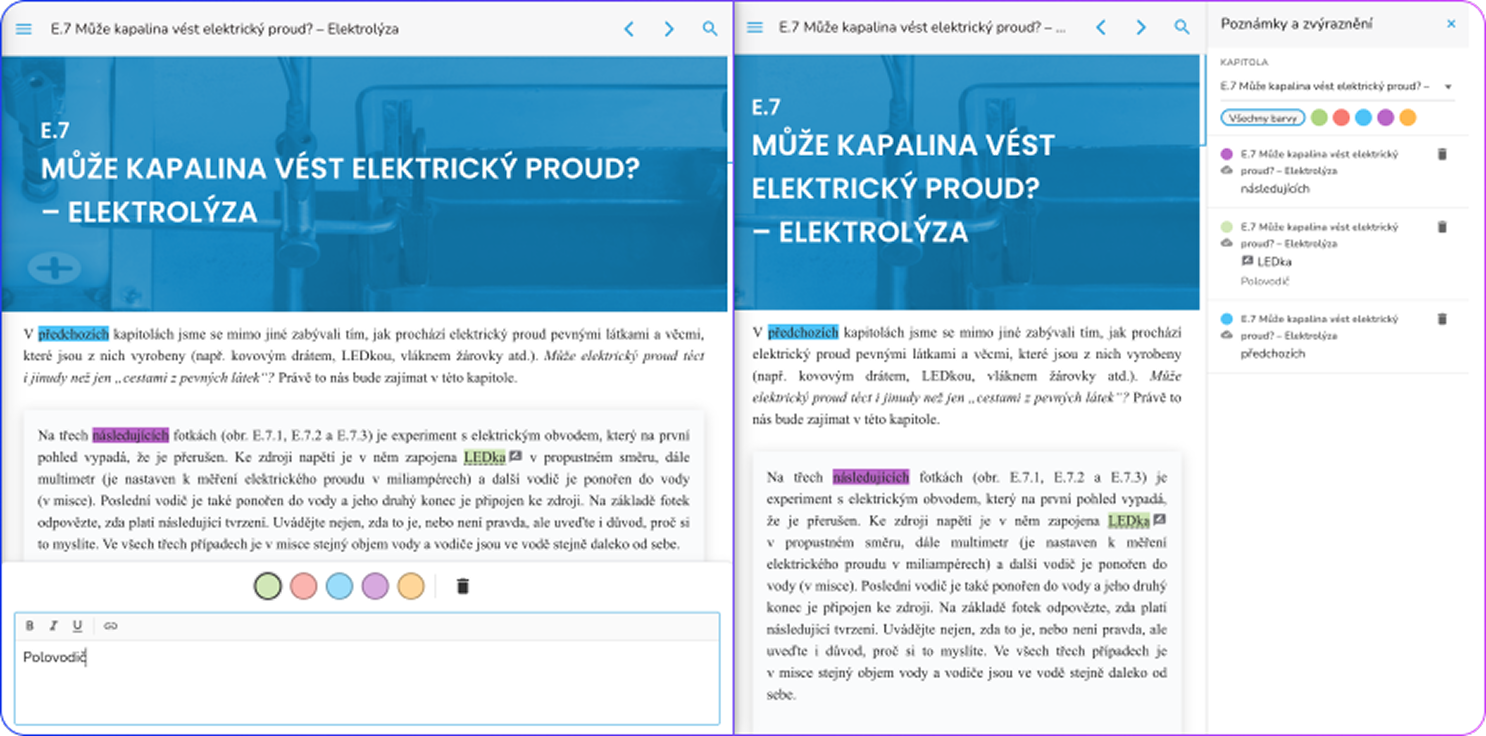
New features include notes and text highlighting. A note is anchored to the quoted passage, so it stays linked to the relevant section even when the text shifts after the book is updated. Reliably linking notes to continuously updated content is exactly why we did not offer this feature in the previous version. Notes created offline are automatically synchronised to the reader's other devices as soon as the connection is restored.
The reader app also remembers where the reader left off, so a student can start reading on a computer at school and continue on their own tablet at home.
Corrections reach existing readers too
When an author fixes an error or adds an explanation, they can publish the change to all existing and new readers with a single click. Readers receive the changes the next time they open the book with an internet connection. There is no need to buy a new edition or distribute updated files.
Publishers and schools can offer their books in their own online store. Both individual and group licences are supported. After purchase, a school can assign licences to students by email address. Payment can be made online by card or by bank transfer against an invoice. Licence duration and pricing depend on the specific offer: access can be, for example, for five years or unlimited, including updates.
One example is the physics textbook from the Faculty of Mathematics and Physics, Charles University. A student licence costs CZK 200, CZK 180 when buying five or more, and CZK 150 when buying ten or more. For CZK 2,250, a school gets a bundle of 15 student licences plus a free teacher's edition. Licences for this textbook are valid for five years and include free updates.
A faster reader and a new technical foundation
The editor and the reader have been redesigned in the new version and are now separate applications. As a result, the reader app itself has shrunk from about 30 MB to 7 MB, which makes it easier to load on slower connections. The size of a particular book then depends on its content and attached media. The reader dynamically loads only the element types a given book uses, typically 15 to 35 types for a standard textbook. This makes publications load faster and downloaded books take up less space.
Both applications use the same components, so content looks the same whether it is being created or read.
Axion connects books, sales and other services
The new publishing system, which handles the complete workflow of creating and managing publications, is built on the Axion framework by Softresource, which we extend with our own custom plugins.
From more than 60 ready-made plugins, a publisher can assemble, for example, an online store, a blog, eduID or SSO login, or export to the Alma library system by Ex Libris. A single system can serve multiple websites or libraries and offer content and administration in several languages.
Axion is also designed to work with AI assistants. An assistant gets its own account and permissions, and the system provides it with a description of the available data and operations. For selected changes, it prepares a proposal for human approval. Changes remain traceable in the history, including who proposed each change and who approved it.
In FutureBooks, AI can therefore edit both the content and the structure of a book within its permissions: rewrite text, create exercises, adjust components, check spelling or move chapters. Its changes go through the same process as the work of a human editor and are recorded in the history. AI edits can be reviewed, approved or reverted, so authors and publishers stay in control of the result.
Older books and moving to V3
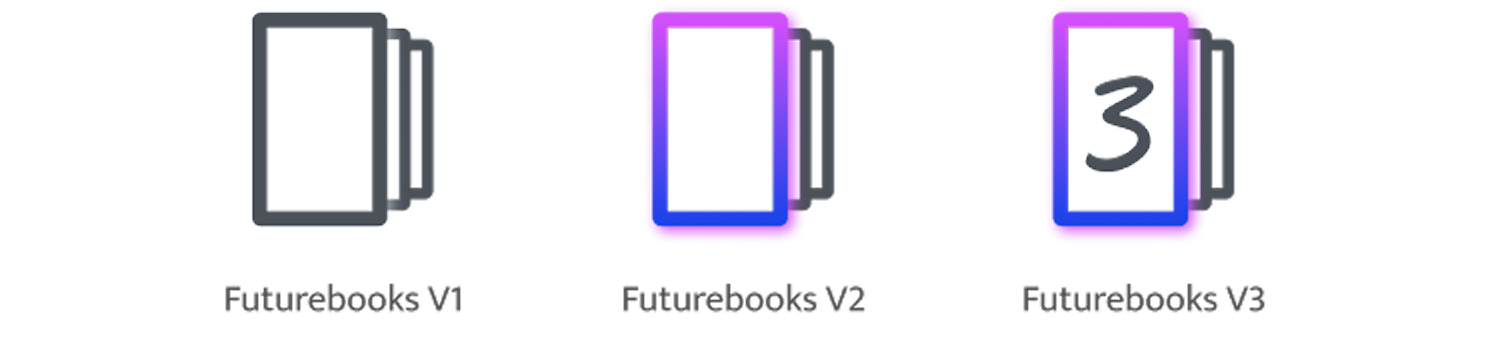
FutureBooks libraries currently contain books of all three generations. You can tell the version by the logo next to the Format field on the book detail page. Hovering over it also shows its name, for example in the library of the Faculty of Education, Charles University.
- FutureBook V1: the first generation of books created in HTML5.
- FutureBook V2: the generation with the first FutureBooks editor.
- FutureBook V3: the new generation with the editor and reader described in this article.
V3 stores text as structured content instead of HTML fragments. Older books therefore cannot simply be converted to the new version automatically. They must go through a converter and a subsequent review, so if you would like to convert your existing titles to V3, please get in touch.
Try V3 with a physics textbook
The textbook Základy středoškolské fyziky: Elektřina a magnetismus (Fundamentals of Secondary School Physics: Electricity and Magnetism) has been published on the new platform. It was published by MatfyzPress, the publishing house of the Faculty of Mathematics and Physics, Charles University, and its authors are Vojtěch Žák, Petr Kolář and Věra Koudelková from the Department of Physics Education.
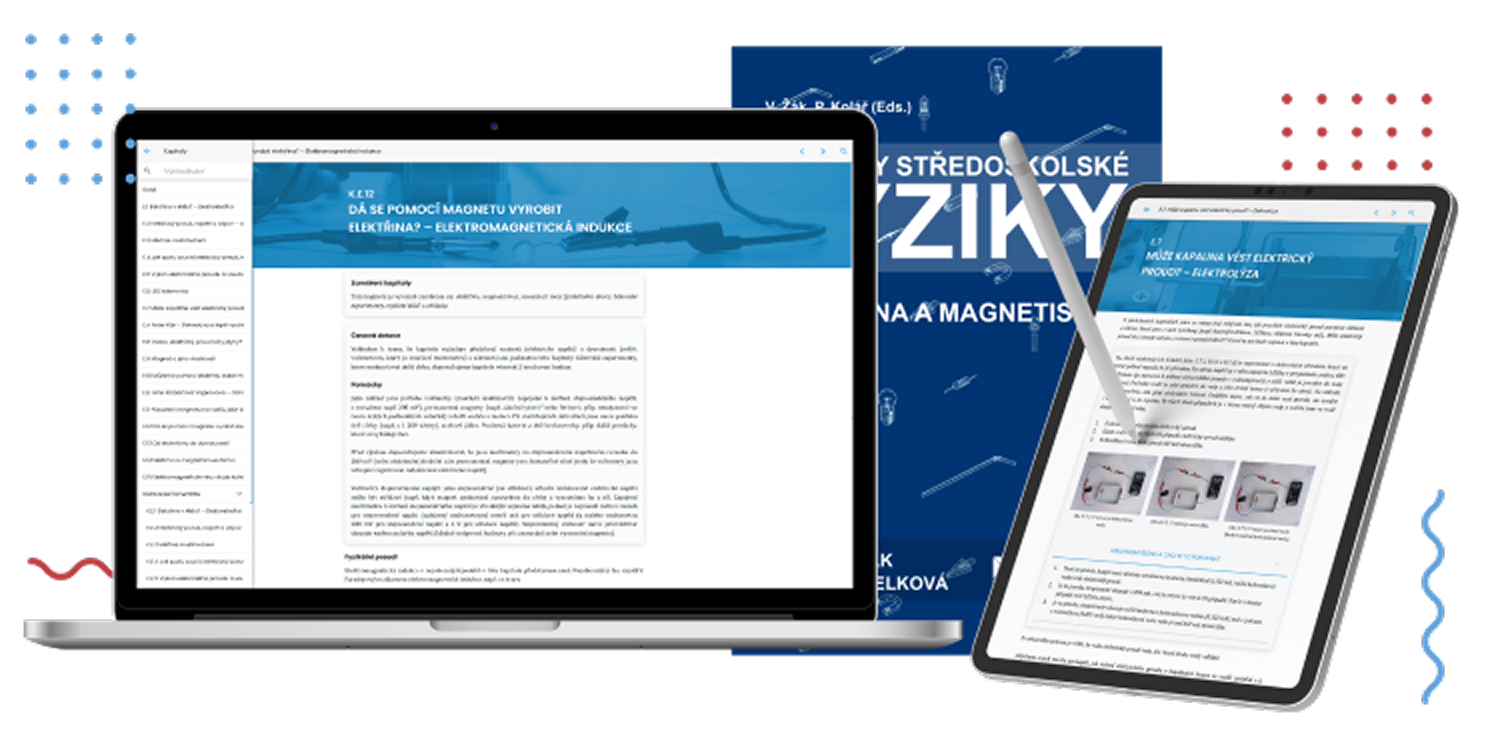
Its fifteen chapters build on everyday questions and experiments with readily available equipment such as a battery, a magnet, an LED or a multimeter. They are complemented by two profiles of Czech scientists.
Open the textbook's detail page and a sample chapter. It's free, with no registration and no payment details required.
Are you preparing your own textbook, choosing a platform for your school or planning to convert older books? Write to us at info@futurebooks.cz. We'll be happy to go through the options with you.